

Dashboard Templates
Choose a pre-built template to get started quickly. Make a copy and connect it to your Scrunch data source.Overview Dashboard
Multi-brand visibility overview with presence, position, and sentiment.
Single-Brand Dashboard
Deep dive into a single brand’s visibility, sentiment, and competitive performance.
Agent Traffic Dashboard
See which AI bots are crawling your site, how often, and which pages they target.
AI Referrals
Measure human referral traffic to your site from AI sources like chatgpt.com and perplexity.ai.
How to Use a Template
1
Install the connector first
Make sure you’ve already installed and configured the v2 connector. See the Data Connector guide.
2
Open a template
Select a template from the gallery above and open it.
3
Make a copy
In the top-right corner, click the three dots → Make a copy.When prompted, select the Scrunch data source you configured earlier.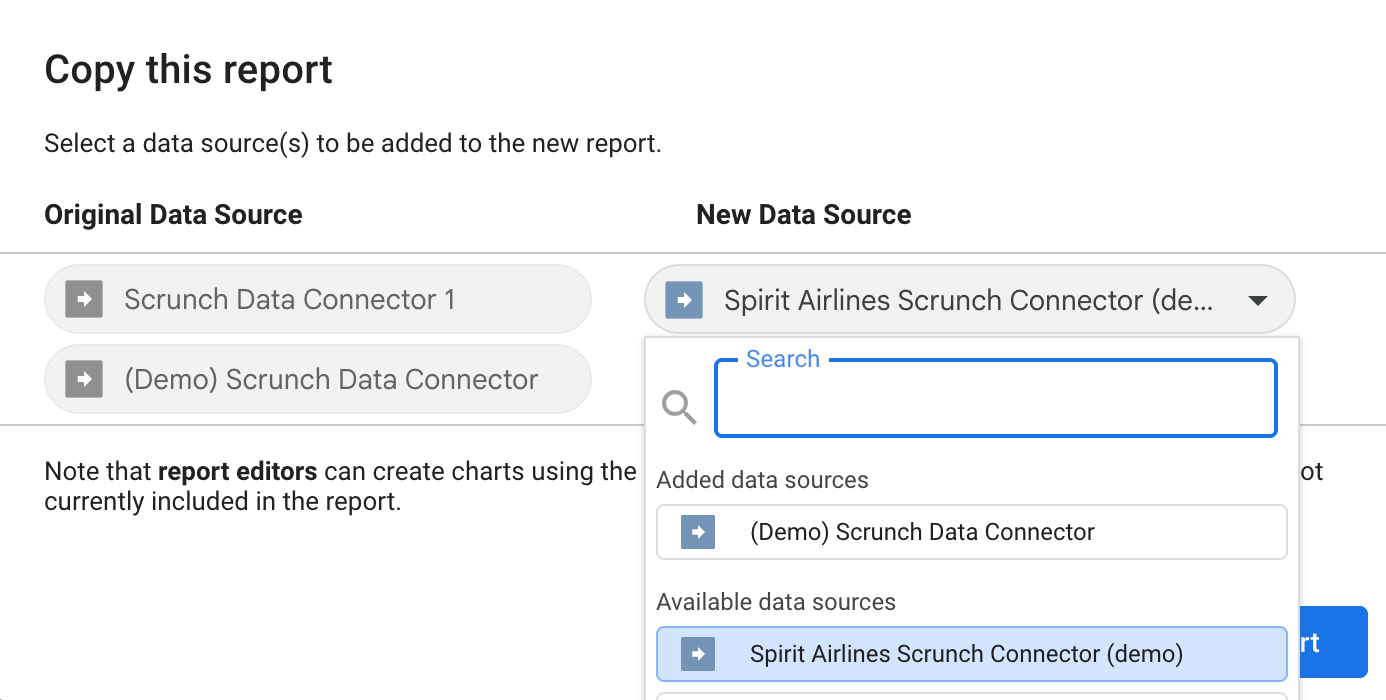
4
Customize your dashboard
You can now modify charts, add filters, or blend additional data sources like GA4, CRM data, or paid media.