

API keys are shown once at creation time. Be sure to copy and store them securely.
Plan Requirements
API key creation is available on the Agency and Enterprise plans. If your organization is on a different plan, the New API Key button is disabled and you’ll see an upgrade prompt when attempting to create one. If you need API access on another plan, contact support@scrunchai.com to discuss an override for your organization.Attempts to call
POST /organizations/{organization_id}/api-keys without the required plan capability return HTTP 402 Payment Required.Where API Keys Live
API keys are managed at the organization level. You can find them by clicking your organization name in the top-left corner of the Scrunch dashboard, then selecting API Keys. This area is available only to organization admins and is also where you manage brands and archival operations.Create an API Key
Complete these steps in your Scrunch UI to provision an API Key ($SCRUNCH_API_TOKEN).
1
Open the organization menu
Click your organization name in the top-left corner of the Scrunch dashboard.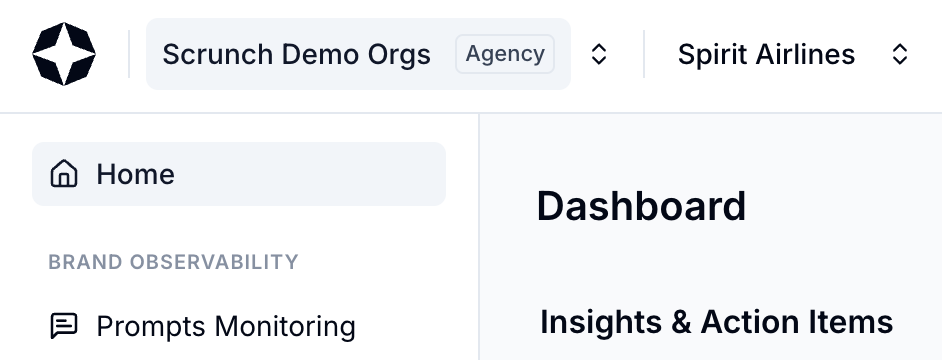
2
Open API Keys
Select API Keys from the organization menu.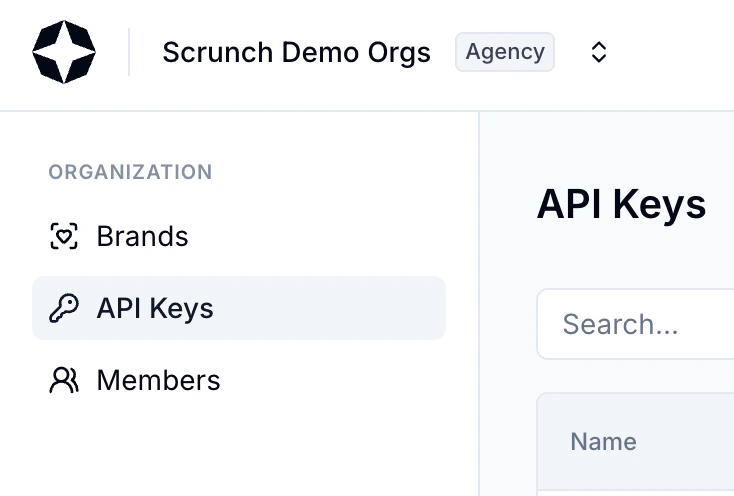
3
Create a new API key
Click + New API Key.
4
Choose the key scope
Scrunch supports several operational scopes: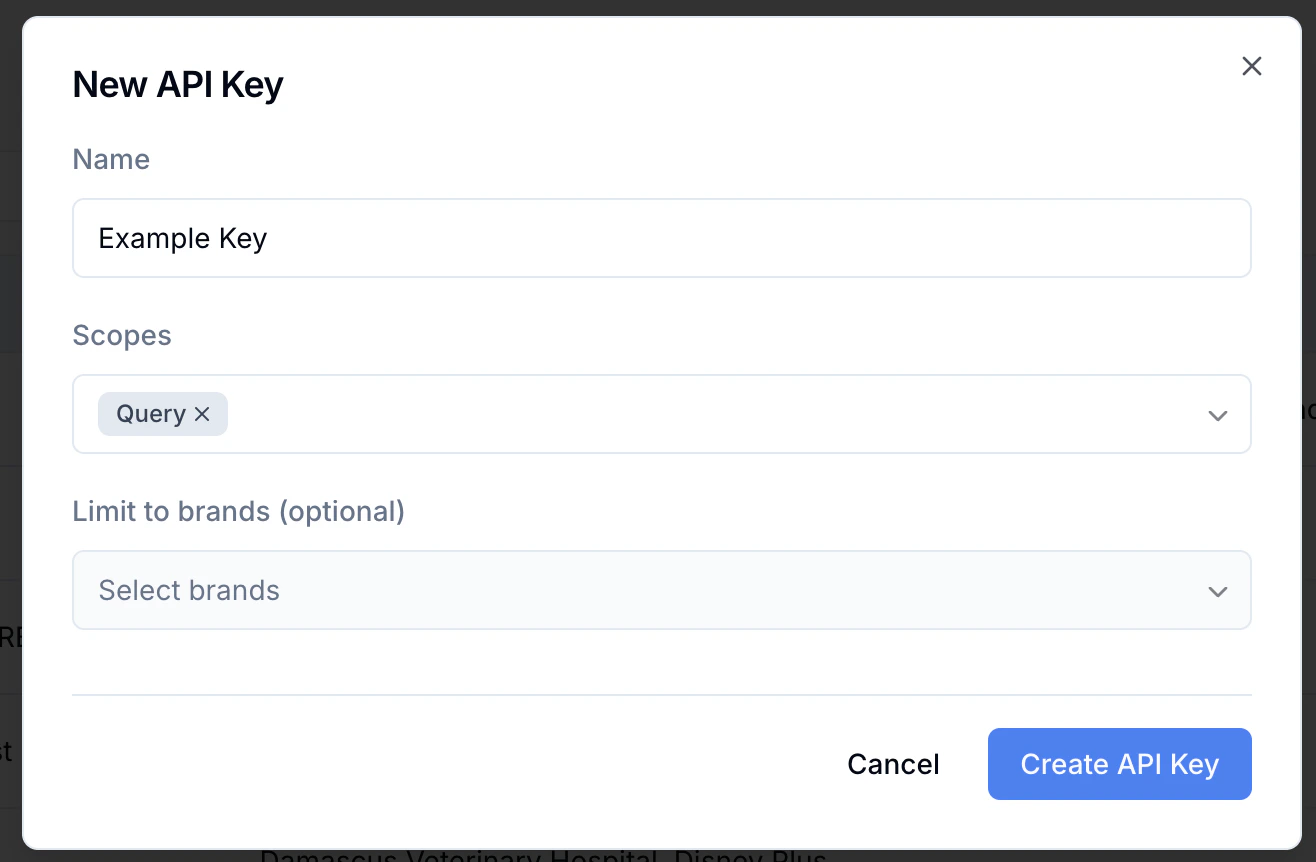
- Query (retrieve analytics and metrics)
- Configure (update brand configuration, prompts, etc.)
- Create Brand (programmatically create brands)
5
Select brand access
You may scope the key to:
- Specific brand(s) (recommended for client-facing reporting)
- All brands (recommended for internal tooling or ETL pipelines)
6
Create and copy the key
Scrunch displays the key once. Copy it immediately and store it securely.
Use Your API Key
Include your key as a Bearer token in theAuthorization header.
Best Practices
Use brand-scoped keys
Limit access when integrating with client-facing dashboards or BI tools.
Reserve org-wide keys
Use for internal workflows only (e.g., multi-brand ETL, automation).
Rotate keys periodically
Especially important for deployments or CI environments.
Archive inactive clients
Keeps your organization clean and prevents accidental access.
Troubleshooting
If a key cannot access a brand:- Verify the key’s scope includes that brand
- Check that the brand has not been archived