

Data Studio Connector (v2)
The v2 connector is built for agencies and multi-brand organizations. Connect all your brands to a single Looker Studio data source, compare visibility side by side, and optionally pull in agent traffic data — all without juggling separate connectors per brand.Connector last updated: September 14, 2026 — this release adds citation, share-of-voice, site map, and signals fields, and renames the presence metrics to Mention Rate.Already using the connector? Here’s how to pick up the new fields — your existing dashboards keep working exactly as they are.
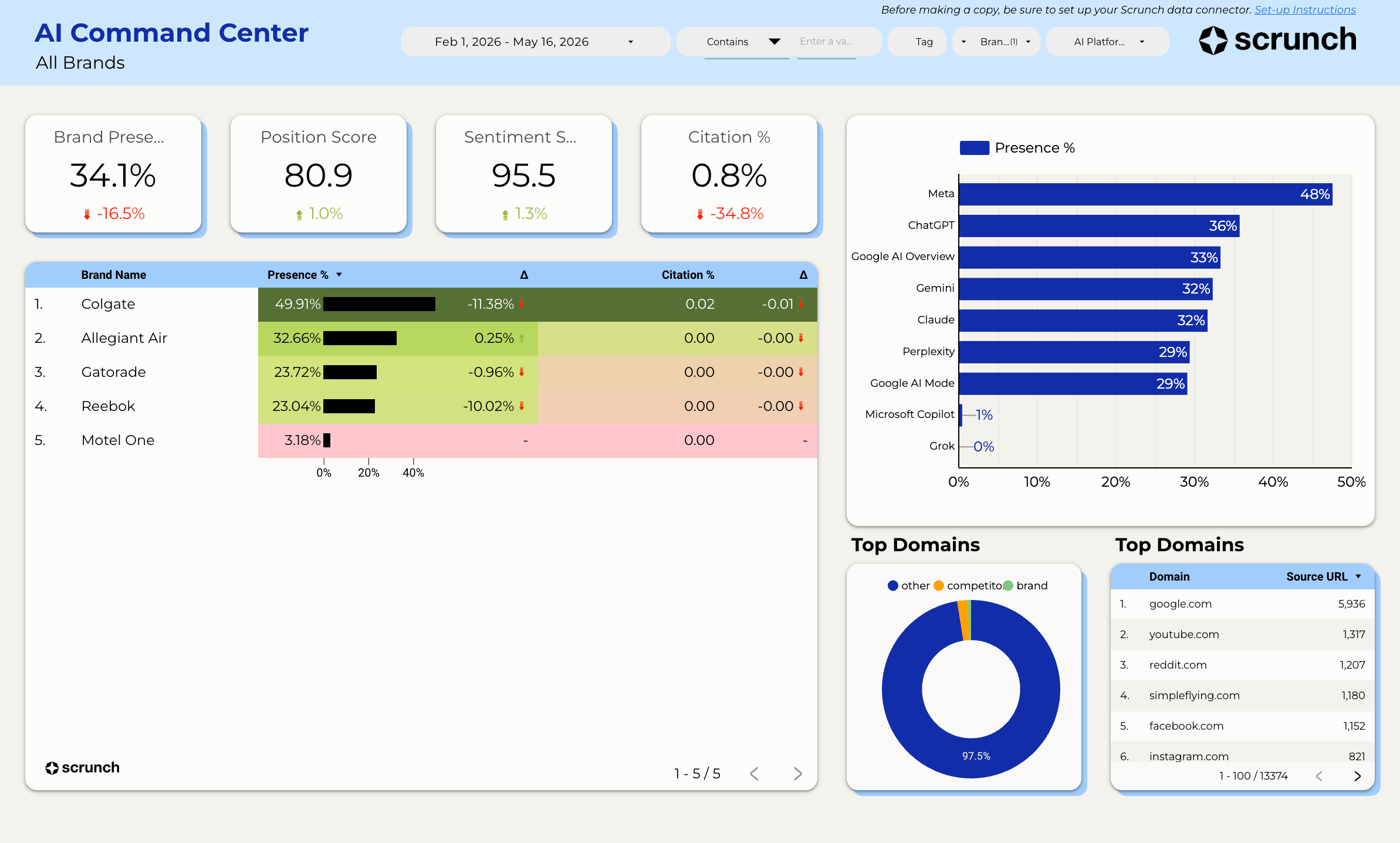
- Multi-brand support — connect 1 to 30+ brands in a single data source
- Agent Traffic data — see which AI bots are crawling your site, how often, and where
- Comparison fields — brand vs. competitor presence in a single chart
- Smarter caching and parallel fetching — faster dashboards, even at scale
Looking for the original single-brand connector? See the v1 Looker Studio guide.
Install the Scrunch Data Connector
The connector is not yet in the public gallery. Install it directly using the link below:Install Connector
Open the Scrunch Data Studio Connector
Configure Your Connection
When you open the connector, you’ll see a configuration screen with the following fields:1
Enter your API key
Paste your Scrunch API key. You can provision one from:Scrunch → Organization → Settings → API Keys
2
Enter your Brand IDs
Enter one or more brand IDs, separated by commas. For example:
46,47,48To find a brand ID, open the brand in Scrunch and look at the URL:https://app.scrunchai.com/org/.../b/1234/dashboardHere, 1234 is your Brand ID.3
(Optional) Enter a Site ID for Agent Traffic
If you want agent traffic data (which AI bots are crawling your site), enter your Site ID.Leave this blank if you only need AI visibility metrics (presence, position, sentiment).
You can find your Site ID in Scrunch → Brand → Agent Traffic. The Site ID can be quickly found in the URL → https://app.scrunchai.com/org/ … /sites/{site_id}
If you haven’t set up Agent Traffic yet, skip this for now.
If you haven’t set up Agent Traffic yet, skip this for now.
4
(Optional) Set a Path Filter
Restrict agent traffic results to a specific URL path prefix (e.g.,
/blog to only see bot traffic to your blog). Leave blank to include all paths.Time bucketing is automatic — the connector picks daily or weekly aggregation based on whichever date dimension you put on the chart (
Date for daily, Date Week for weekly). You don’t need to configure it.5
Connect
Click Connect in the top right. Data Studio will load the schema and you’re ready to build.
Keeping your connector up to date
We ship connector updates — new fields, new data sources, fixes — and you never need to reinstall the connector or rebuild a data source to get them. Looker Studio does not detect schema changes on its own, though. Your data source keeps the field list it had when it was created, so newly added fields stay hidden until you refresh it.Your existing dashboards stay working. Connector updates are additive by design: we do not remove fields, change a field’s ID, or change its type or aggregation — those are the changes that break a Looker Studio chart. Every chart you have already built keeps rendering exactly as it does today. Refreshing only adds new fields to the list you can choose from.
1
Open a dashboard that uses the connector
Click Resource in the top menu.
2
Open your data sources
Click Manage added data sources.
3
Edit the Scrunch data source
Click EDIT next to your Scrunch connector.
4
Choose what you need
- Just get the new fields
- Also change your configuration
- Click REFRESH FIELDS.
- Review the confirmation of what changed, and apply it.
- Select Done.
Available Fields
The connector exposes 112 fields across four Scrunch data sources. Data Studio routes each chart to the right API automatically, based on the fields you pick.- AI Visibility
- Agent Traffic
- Site Map
- Signals
Presence, sentiment, position, and citations from AI responses. This is the source a chart uses unless it names a field from one of the other three.
Brand & date (7)
Brand & date (7)
Prompts & audience (9)
Prompts & audience (9)
AI platform (2)
AI platform (2)
Competitors (3)
Competitors (3)
Cited sources (7)
Cited sources (7)
Where & how you appear (3)
Where & how you appear (3)
Core metrics (12)
Core metrics (12)
Competitor metrics (6)
Competitor metrics (6)
Citation metrics (18)
Citation metrics (18)
Brand vs. competitor comparison (4)
Brand vs. competitor comparison (4)
Multi-Brand Dashboards
The v2 connector is designed for comparing brands side by side. Here are some tips:- Use
brand_nameas a dimension to break down any metric by brand - Use
brand_idfor filtering when you want to isolate a specific brand in a chart - Comparison fields (
entity_name,entity_type,presence_percentage) work per-brand — each brand’s competitors are included automatically
Brand names are automatically resolved from your Scrunch organization. If you see numeric IDs instead of names, make sure your API key has access to the brands you’ve configured.